
How can I Upload my Leads Into Pitchlane
Wondering How to Upload New Leads? Look no further.
Updated
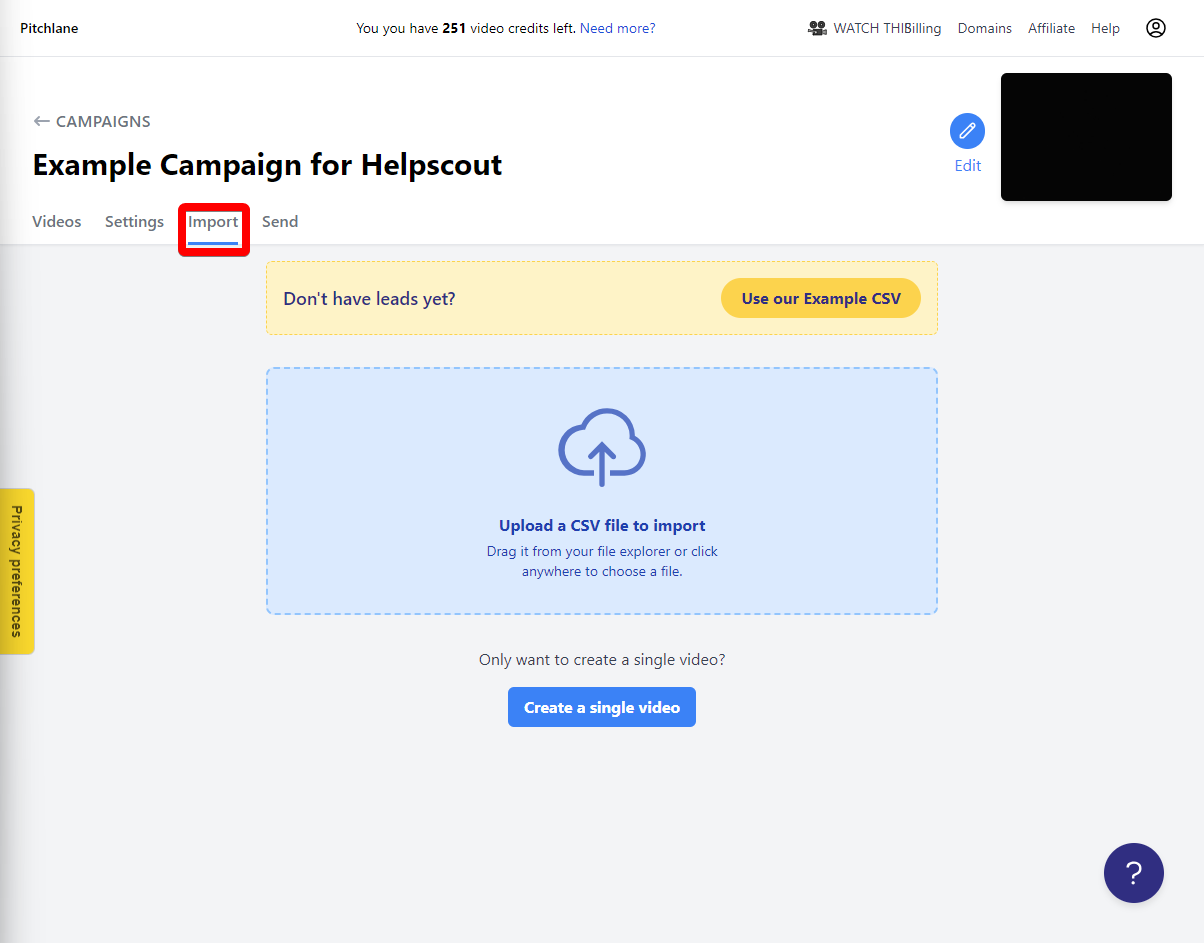
1.) Navigate to the “Import” tab of your campaign.
2.) Select “Upload a CSV file to import”
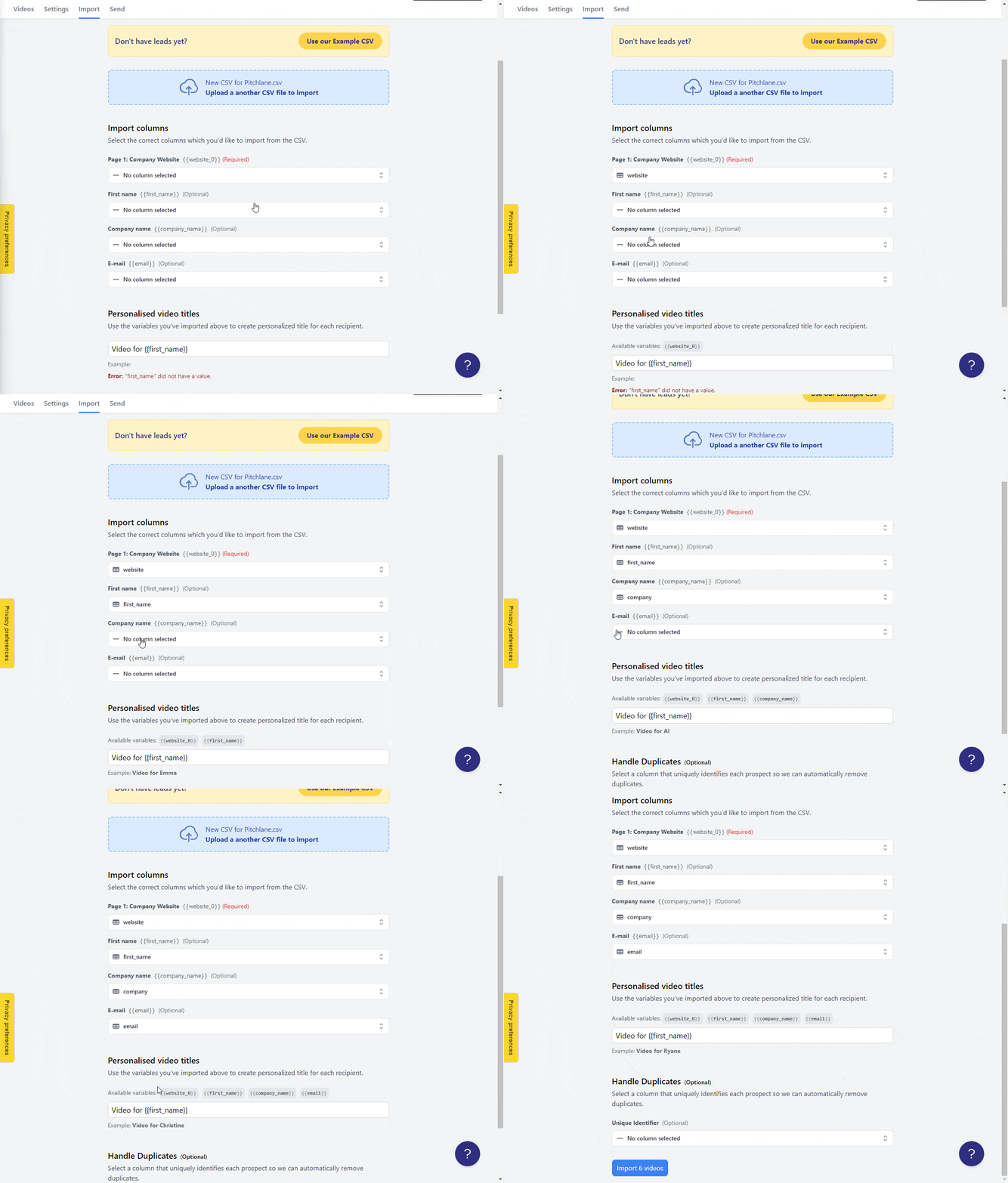
3.) Upload your lead list and map your CSV to the fields!
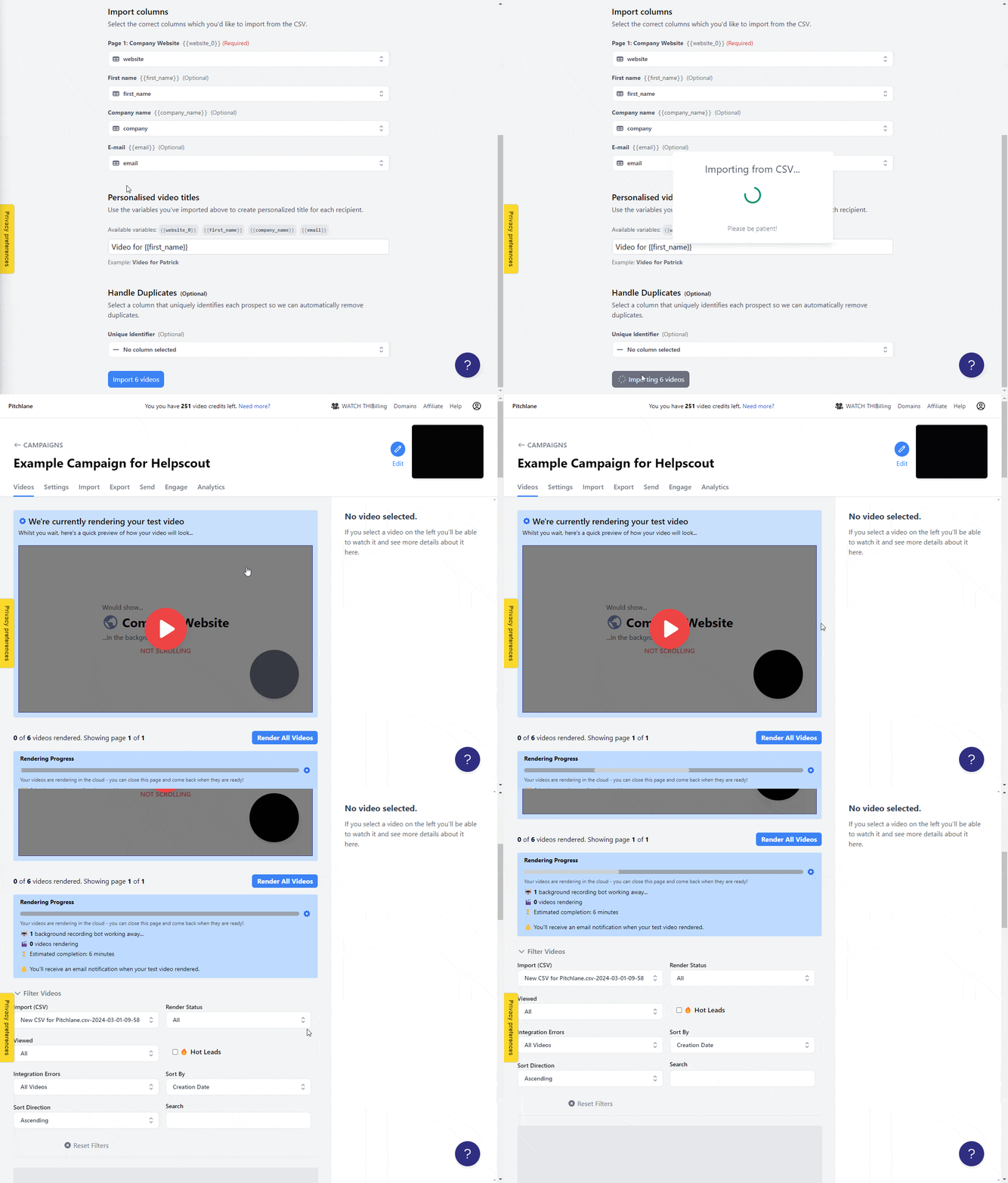
4.) Select Import Videos!
If you do not have a lead list yet, you can create one in GetLeads, Apollo, Clay, or another lead source. Export it as a CSV and include the company website column so Pitchlane can personalize each lead’s video background.